Published 26 August 2026 | Updated 2 September 2026
Software
Agriculture Software Development Company
Build Smarter, Connected Agriculture Solutions With Custom Software
Agriculture is becoming increasingly data-driven. Farms, agribusinesses and AgTech companies need digital systems that can connect field operations, crop data, equipment, employees, inventory, IoT devices and business processes.
PerfectionGeeks provides custom agriculture software development services to help agricultural businesses build digital solutions around their actual operational requirements.
Transform Your Digital Experience
What Is Agriculture Software Development?
Agriculture software development is the process of creating digital applications and platforms for farms, agribusinesses and AgTech companies. These solutions can manage crops, fields, livestock, inventory, equipment, workers and supply chains while also integrating mobile applications, IoT devices, cloud systems, analytics, AI and external business platforms.
A complete agriculture software ecosystem may include:
- Mobile applications for field workers
- Web dashboards for managers
- Farm management systems
- Crop and field management
- IoT sensor integration
- GPS and GIS mapping
- Inventory management
- Equipment monitoring
- Agricultural analytics
- AI and machine learning
- APIs and third-party integrations
- Cloud infrastructure
PerfectionGeeks' existing agriculture offering covers custom agricultural applications, farm management software, research and strategy, UI/UX, development, QA, deployment and maintenance.
- Agriculture software connects farming operations with digital applications, data and automation.
- Custom software can be designed around specific farm, agribusiness or AgTech workflows.
- Farm management platforms can centralize crop, field, labor, inventory and equipment information.
- IoT can connect agricultural sensors and equipment with software for monitoring and data collection.
- AI can support use cases such as image analysis, forecasting, predictive analytics and decision support when suitable data is available.
- Precision agriculture software can combine GPS, GIS, weather, soil, crop and sensor information.
- Agriculture applications may require mobile, web, cloud, API, database and IoT components working together.
- Security, scalability, integrations and maintenance should be considered from the beginning of the project.
- The right technology stack should be selected according to the agricultural workflow rather than simply choosing popular technologies.
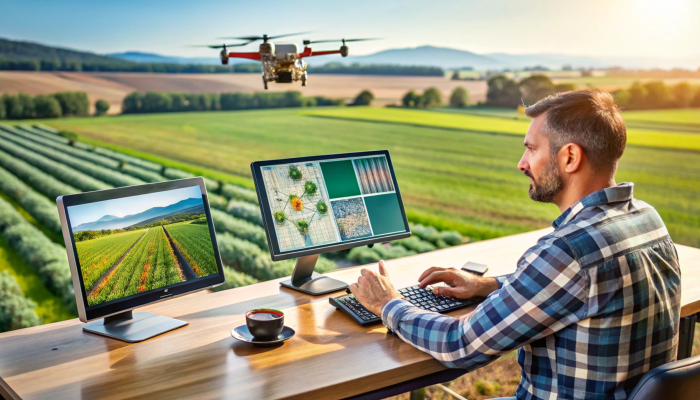
From farm management software and agriculture mobile apps to IoT platforms, precision agriculture solutions, AI-powered systems and cloud-based applications, we design and develop technology that connects agricultural workflows with useful data and automation.
Whether you are launching an AgTech product, modernizing an existing farm management process or building a connected agriculture platform, our team can help transform the requirement into a scalable software solution.
Why Does Agriculture Need Custom Software?
Agricultural operations vary significantly by crop, geography, business model, equipment, workforce and supply-chain structure. A generic application may not adequately represent these differences.
Custom agriculture software allows the technology to be designed around the business process rather than forcing the business to adapt to a fixed workflow.
For example, an agribusiness may need one platform to connect:
Field Operations → Crop Records → Inventory → Equipment → Workforce → IoT Data → Analytics
Instead of maintaining these records separately across spreadsheets and disconnected applications, a custom platform can bring relevant information into one connected environment.
Common business requirements include:
| Agricultural Requirement | Possible Software Solution |
|---|---|
| Crop planning | Crop-cycle management |
| Field operations | Mobile field applications |
| Farm records | Centralized farm database |
| Inventory | Agricultural input management |
| Equipment | Machinery and maintenance tracking |
| Workforce | Labor management |
| Monitoring | IoT dashboards |
| Reporting | Analytics and business dashboards |
| Supply chain | Procurement and logistics workflows |
| Decision support | AI and predictive analytics |
The exact architecture should depend on the organization's operational requirements.
What Types of Agriculture Software Can Be Developed?
Agriculture software can range from a simple mobile field application to a complete enterprise AgTech platform.
Farm Management Software
Farm management software can bring multiple operational activities into a centralized system.
Potential modules include:
- Farm management
- Field management
- Crop planning
- Crop-cycle tracking
- Task management
- Labor management
- Inventory
- Equipment
- Inspections
- Reporting
- Notifications
- User management
A well-designed farm management system gives different users access to the information and workflows relevant to their roles.
Agriculture Mobile Applications
Mobile applications are particularly useful for field-based operations.
Agricultural workers can use mobile apps for:
- Field inspections
- Data collection
- Crop records
- Task management
- Photo capture
- Equipment records
- Field reporting
- Notifications
- GPS-based workflows
For areas with unreliable connectivity, offline data capture can also be considered during application architecture.
Precision Agriculture Software
Precision agriculture applications use field-level and environmental information to support more targeted agricultural decisions.
Possible data sources include:
- GPS
- GIS
- Soil information
- Weather information
- Crop data
- Yield data
- Remote sensing
- IoT sensors
- Field mapping
Agriculture IoT Software
IoT-enabled agriculture software connects physical devices with digital systems.
A simplified architecture is:
Sensor → Connectivity → Backend → Database → Analytics → Dashboard
This can support monitoring of environmental conditions, equipment and other agricultural variables.
PerfectionGeeks' IoT development capabilities include device integration, cloud backend development, mobile/web applications and real-time data systems.
Livestock Management Software
Custom livestock platforms can be designed around:
- Animal records
- Feeding schedules
- Health information
- Breeding records
- Environmental monitoring
- Farm activities
- Alerts
- Reporting
The data model should be customized according to the livestock operation.
Agricultural Supply Chain Software
Agricultural businesses can also develop software for:
- Procurement
- Inventory
- Warehousing
- Supplier management
- Logistics
- Quality information
- Distribution
- Product tracking
- Reporting
For larger organizations, these systems can be integrated with ERP, CRM, accounting and other business applications.
Agriculture Software Features for Modern Farming
A successful agriculture software solution should solve specific operational problems rather than simply provide a large number of features. The right functionality depends on the type of agricultural business, users, crops, equipment, data sources and workflows.
PerfectionGeeks can develop agriculture software with modular features that can be expanded as business requirements evolve.
Farm Management Software Features
A farm management platform can centralize day-to-day agricultural operations and provide different users with access to relevant information.
Common features include:
- Farm and field management
- Crop planning
- Crop-cycle tracking
- Task scheduling
- Labor management
- Inventory management
- Equipment tracking
- Expense management
- Document management
- Notifications and alerts
- Reports and dashboards
- User roles and permissions
The platform can be designed as a web dashboard, mobile application or combination of both.
Crop Management
Track Crop Activities From Planning to Harvest
Crop management software can help organizations maintain digital records throughout the crop lifecycle.
Depending on the business model, a solution can include:
- Crop selection
- Planting records
- Field allocation
- Growth-stage tracking
- Irrigation activities
- Fertilization records
- Pest and disease observations
- Field inspections
- Harvest information
- Production records
Centralizing this information can make it easier for managers and field teams to maintain consistent records and review historical information.
Field Management
Digitize Field-Level Operations
Field management is an important component of agricultural software because many farming activities take place outside the office.
A field management application can provide:
- Digital field records
- Field boundaries
- GPS-based information
- Crop allocation
- Field activity history
- Inspection records
- Task assignments
- Field photographs
- Notes and observations
- Location-based information
A mobile-first interface can allow field personnel to capture information directly from agricultural locations rather than entering everything later.
Inventory Management
Manage Agricultural Inputs and Stock
Agricultural businesses often manage seeds, fertilizers, pesticides, tools, spare parts, equipment and other supplies.
An inventory module can help track:
- Stock levels
- Product categories
- Purchase records
- Supplier information
- Stock movement
- Consumption
- Reorder requirements
- Warehouse locations
- Batch information
- Inventory history
Integration with procurement or accounting systems can be considered when inventory data needs to move between business platforms.
Equipment and Machinery Management
Keep Agricultural Equipment Information Organized
Modern farms may depend on tractors, harvesters, irrigation equipment, pumps, sensors and other machinery.
Software can be designed to manage:
- Equipment records
- Maintenance schedules
- Service history
- Operating hours
- Inspection records
- Repair requests
- Spare parts
- Equipment assignments
- Maintenance notifications
IoT integration can extend these capabilities when compatible equipment provides machine or sensor data.
Labor and Task Management
Coordinate Field Teams
Agricultural operations can involve multiple workers performing different activities across farms and fields.
A custom application can help managers:
- Assign tasks
- Track task status
- Record field activities
- Monitor work schedules
- Manage teams
- Capture completion information
- Maintain activity history
Mobile applications can make this particularly useful for workers operating away from a central office.
How Are GPS and GIS Used in Agriculture?
GPS and GIS can help agriculture applications associate operational information with specific geographic locations.
For example, a farm management application can connect:
Field → Location → Crop → Activity → Sensor Data → Historical Records
Possible functionality includes:
- Field mapping
- Geographic boundaries
- Location tracking
- Field identification
- Crop-area visualization
- Location-based records
- Route information
- Spatial data analysis
GIS functionality should be selected according to the actual operational requirement. Not every agriculture application requires advanced geographic analytics.
How Does IoT Work in Agriculture?
Agricultural IoT connects physical sensors or devices with software systems so that relevant information can be collected, transmitted, stored and analyzed.
A typical architecture may look like:
Agricultural Sensor → Connectivity → IoT Platform → Backend → Database → Dashboard
Depending on the project, connected devices may provide information such as:
- Soil conditions
- Temperature
- Humidity
- Water-related measurements
- Equipment information
- Environmental readings
- Other sensor-specific data
The software layer can then present the information through dashboards, alerts or analytics.
Agriculture IoT Development
A complete IoT solution may require:
- Device integration
- Communication protocols
- Cloud infrastructure
- Backend services
- APIs
- Databases
- Real-time data processing
- Web dashboards
- Mobile applications
- Authentication
- Device management
PerfectionGeeks' existing agriculture offering specifically includes IoT integration as part of its agriculture technology capabilities.
AI and Machine Learning in Agriculture
How Can AI Be Used in Agriculture?
AI can help agricultural applications analyze large amounts of operational, environmental and visual data to support decision-making.
Potential applications include:
- Crop image analysis
- Pattern detection
- Predictive analytics
- Demand forecasting
- Anomaly detection
- Crop monitoring
- Equipment prediction
- Decision-support systems
- Automated recommendations
The usefulness of AI depends heavily on data quality, availability and the specific problem being solved.
Example: Crop Image Analysis
A mobile application could allow a field worker to capture an image of a crop.
A potential workflow is:
Mobile Camera → Image Upload → AI Model → Analysis → Result → User Dashboard
The output could be designed to support agricultural staff in further investigation or decision-making.
AI recommendations should not be presented as guaranteed outcomes. The system should clearly communicate the role and limitations of the model.
Predictive Analytics for Agriculture
Use Historical Data to Support Better Decisions
Agriculture businesses can accumulate information from:
- Previous crop cycles
- Field activities
- Weather data
- Sensor readings
- Inventory
- Equipment
- Production
- Sales
- Operational records
Analytics systems can use this information to identify patterns and trends.
Possible applications include:
- Production analysis
- Demand forecasting
- Inventory planning
- Equipment maintenance prediction
- Operational performance
- Resource planning
The quality of predictions depends on the quality and consistency of the underlying data.
Weather Data Integration
Weather information can be useful for agricultural planning and monitoring.
Depending on the requirements, agriculture software can integrate relevant weather data through external APIs or connected data sources.
Possible features include:
- Current weather information
- Forecast data
- Weather alerts
- Historical weather information
- Location-specific weather
- Weather dashboards
Weather data can be combined with field information, crop records and other business data to provide a more contextual operational view.
Agriculture Analytics and Dashboards
Turn Agricultural Data Into Usable Information
Managers often need a different view of data than field workers.
An agriculture platform can therefore provide role-specific dashboards.
Field Worker Dashboard
May show:
- Assigned tasks
- Field information
- Crop activities
- Alerts
- Inspection requirements
Farm Manager Dashboard
May show:
- Field status
- Crop progress
- Workforce activity
- Equipment
- Inventory
- Operational alerts
Business Dashboard
May show:
- Production
- Costs
- Inventory
- Sales
- Operational performance
- Business KPIs
Dashboards should prioritize decisions rather than simply displaying as much data as possible.
Notifications and Alerts
Keep Users Informed About Important Events
Agriculture software can provide notifications when defined conditions or events occur.
Examples include:
- Low inventory
- Scheduled maintenance
- Assigned task
- Workflow approval
- Sensor threshold
- Field inspection
- Equipment issue
- Operational reminder
Notifications can be delivered through the application's supported channels, depending on the architecture and user requirements.
The objective should be to surface important information without creating unnecessary alerts.
Offline Functionality for Field Applications
Why Is Offline Support Important in Agriculture Apps?
Agricultural workers may operate in locations where internet connectivity is limited or inconsistent.
For suitable use cases, a mobile application can be designed to support offline data capture.
A typical workflow can be:
Work Offline → Save Data Locally → Connection Restored → Synchronize → Update Server
Offline functionality requires careful planning around:
- Local storage
- Data synchronization
- Conflict handling
- Authentication
- Security
- Failed requests
- Duplicate records
Whether offline support is necessary should be determined during the discovery and architecture phase.
User Roles and Permissions
Agriculture software may serve multiple types of users.
For example:
| User | Typical Access |
|---|---|
| Administrator | Platform and user management |
| Farm Manager | Farm and operational information |
| Field Worker | Assigned field activities |
| Agronomist | Crop and field information |
| Equipment Manager | Machinery and maintenance |
| Business Manager | Reports and analytics |
| Customer/Partner | Approved external information |
Role-based access can help ensure that users see and modify only the information relevant to their responsibilities.
Integrating Agriculture Software With Existing Systems
Agriculture software rarely operates in complete isolation.
Depending on the business, integration may be required with:
- ERP systems
- CRM platforms
- Accounting software
- Payment systems
- Weather APIs
- Mapping services
- IoT platforms
- GPS services
- Cloud platforms
- Supply-chain systems
- External databases
Integration can be implemented through APIs, connectors, middleware or other appropriate architectural approaches.
The integration strategy should be defined before development begins because external dependencies can affect both timeline and cost.
Recommended Agriculture Software Architecture
A typical agriculture platform may include several layers:
User Layer
- Mobile app
- Web application
- Admin portal
↓
Application Layer
- Farm management
- Crop management
- Inventory
- Equipment
- Workforce
- Workflow management
↓
Integration Layer
- APIs
- IoT services
- Weather services
- Mapping
- ERP/CRM integrations
↓
Data Layer
- Operational database
- Dataverse or other data platform
- Analytics data
↓
Intelligence Layer
- Analytics
- Machine learning
- AI services
↓
Cloud & Security
- Authentication
- Authorization
- Monitoring
- Backups
- Infrastructure
The final architecture should be adapted to the application's scale, data requirements, integrations, users and security needs.
Technology Stack for Agriculture Software Development
The technology stack should be selected according to the application's requirements rather than following a fixed technology list.
Potential technologies may include:
| Layer | Technologies |
|---|---|
| Mobile | Flutter, React Native, Android, iOS |
| Frontend | React, JavaScript, TypeScript |
| Backend | Node.js, .NET, Java/Spring Boot |
| Database | SQL and NoSQL databases |
| Cloud | AWS, Microsoft Azure, Google Cloud |
| APIs | REST APIs and third-party integrations |
| IoT | Connected devices, gateways and cloud IoT services |
| AI/ML | Machine learning and AI services |
| Maps | GPS, GIS and mapping APIs |
| Analytics | Business intelligence and custom dashboards |
The final technology selection should consider performance, integration requirements, security, development expertise, maintenance and long-term scalability.
Security Considerations for Agriculture Software
Agriculture platforms can contain operational, financial, employee, supplier and customer information.
Security should therefore be considered throughout the development lifecycle.
Important areas include:
- Secure authentication
- Role-based authorization
- Data encryption
- API security
- Secure cloud configuration
- Access controls
- Backup strategy
- Audit logging
- Vulnerability testing
- Secure data transmission
- Environment separation
IoT-enabled systems also require device-level security and secure communication between devices and backend services.
Security requirements should be defined according to the type of data and regulatory obligations applicable to the business.
Building Agriculture Software With PerfectionGeeks
PerfectionGeeks approaches agriculture software development as a business and technology problem rather than simply an app-building exercise.
Depending on project requirements, the development engagement can include:
- Business and requirements analysis
- Agriculture software consulting
- UI/UX design
- Mobile application development
- Web application development
- Backend development
- API development
- IoT integration
- AI and machine learning integration
- Cloud deployment
- Quality assurance
- Security testing
- Deployment
- Maintenance and support
The project can begin with a focused MVP and expand as users, data and business requirements evolve.
Have an agriculture technology idea? Discuss your requirements with the PerfectionGeeks development team.
Agriculture Software Development Process
Developing agriculture software requires more than building screens and connecting a database. The solution needs to reflect real agricultural workflows, user roles, field conditions, data sources, integrations and long-term business objectives.
At PerfectionGeeks, the development process can be structured into the following stages.
1. Requirement Discovery
The first step is understanding the business and the problem the software needs to solve.
The discovery phase can cover:
- Business objectives
- Target users
- Agricultural workflows
- Existing software and systems
- Data sources
- IoT requirements
- Mobile and web requirements
- Integration requirements
- Security expectations
- Reporting requirements
- Future scalability
The outcome is a clear set of functional and technical requirements.
2. Agriculture Software Strategy
Once requirements are understood, the next step is deciding what should actually be built.
This can include defining:
- MVP scope
- Core features
- User journeys
- Technology requirements
- Integration strategy
- Data architecture
- Cloud requirements
- Security approach
- Future expansion
A focused MVP can help validate the solution before investing in a larger platform.
3. UI/UX Design
Agriculture applications often have different users with different working environments.
A field worker may need a simple mobile interface, while an administrator may require a detailed web dashboard.
The design process can include:
- User personas
- User journeys
- Wireframes
- Application architecture
- Interactive prototypes
- Mobile interfaces
- Web dashboards
- Usability testing
The objective is to make important agricultural information easy to capture, understand and act upon.
4. Application Development
After the design is approved, development begins.
Depending on the project, this may include:
- Mobile application development
- Web application development
- Backend development
- Database development
- API development
- Admin dashboard
- Authentication
- User management
- Notifications
- Reporting
The development approach can be adapted to the required platform, users and business processes.
5. IoT and Third-Party Integration
If the application requires connected devices or external services, integrations are developed and tested as part of the solution.
Potential integrations include:
- IoT sensors
- GPS services
- GIS platforms
- Weather APIs
- ERP systems
- CRM systems
- Payment services
- External databases
- Cloud services
The integration architecture should account for authentication, data synchronization, failures and monitoring.
6. AI and Data Intelligence
AI capabilities can be introduced when the business has a suitable use case and sufficient data.
Possible applications include:
- Image analysis
- Predictive models
- Forecasting
- Anomaly detection
- Data classification
- Decision support
- Intelligent recommendations
AI should complement agricultural expertise rather than replace appropriate human judgment.
7. Quality Assurance
Agriculture software needs to work reliably across different devices, users and operating conditions.
Testing may include:
- Functional testing
- API testing
- Integration testing
- Mobile testing
- Browser testing
- Performance testing
- Security testing
- User acceptance testing
- Data validation
For field applications, additional attention may be required for connectivity, location services, offline operation and synchronization.
8. Deployment
Once testing is complete, the application can be prepared for production.
Deployment activities may include:
- Cloud configuration
- Database deployment
- Application deployment
- Domain and API configuration
- Security configuration
- Monitoring
- Backup setup
- Production testing
The deployment strategy should be designed to minimize disruption to existing operations.
9. Maintenance and Continuous Improvement
Agriculture software should evolve as business requirements change.
Post-launch support may include:
- Bug fixes
- Performance optimization
- Security updates
- New features
- API updates
- Cloud management
- Application monitoring
- Database maintenance
- User feedback analysis
Continuous improvement can help keep the platform aligned with changing operational requirements.
Agriculture Software Development Timeline
How Long Does It Take to Build Agriculture Software?
There is no fixed development timeline for every agriculture application.
A simple field-data collection application can require significantly less development effort than an enterprise platform combining mobile applications, web dashboards, IoT devices, AI, GIS, data migration and multiple third-party integrations.
The timeline generally depends on:
- Number of features
- Number of user roles
- Mobile and web requirements
- UI/UX complexity
- Backend architecture
- Integrations
- IoT requirements
- AI functionality
- Data migration
- Security requirements
- Testing scope
Typical Development Stages
| Stage | Main Activities |
|---|---|
| Discovery | Requirements and business analysis |
| Planning | Scope, architecture and technology |
| UI/UX | Wireframes and application design |
| MVP Development | Core application features |
| Integration | APIs, IoT and external systems |
| Testing | QA, security and user testing |
| Deployment | Production release |
| Support | Maintenance and improvements |
For an accurate timeline, the project should be assessed after requirements and technical scope are defined.
How Much Does Agriculture Software Development Cost?
The cost of developing agriculture software depends on the application's scope, technical architecture and integrations.
There is no responsible single price that applies to every agriculture software project.
Major Cost Factors
| Cost Factor | Why It Matters |
|---|---|
| Application size | More functionality requires more development |
| Mobile platforms | Android and iOS requirements affect scope |
| Web dashboard | Adds frontend and backend requirements |
| UI/UX | Custom interfaces require design effort |
| Backend | Business logic and APIs affect complexity |
| IoT | Devices and connectivity increase technical scope |
| AI/ML | Models, data and integration require specialist work |
| GIS/GPS | Mapping and location features add complexity |
| Integrations | External systems require API development |
| Data migration | Existing data may require cleansing and transformation |
| Security | Sensitive data requires additional controls |
| Cloud infrastructure | Hosting and infrastructure affect ongoing costs |
| Maintenance | Post-launch support creates recurring costs |
How to Control Development Costs
Businesses can reduce unnecessary development expenditure by:
- Defining the core business problem.
- Prioritizing essential features.
- Building an MVP.
- Reusing suitable platform components.
- Planning integrations early.
- Selecting technologies according to actual requirements.
- Avoiding unnecessary AI or IoT features.
- Testing with real users before expanding the platform.
The goal should not be to build the largest agriculture platform possible. It should be to build the smallest useful solution that can deliver measurable business value and scale when needed.
Benefits of Custom Agriculture Software
Why Invest in Agriculture Software Development?
Custom software can provide benefits when it is designed around a specific agricultural operation.
Centralized Information
Farm, crop, workforce, equipment and operational information can be brought into a connected system.
Better Operational Visibility
Managers can monitor activities and review relevant information through dashboards and reports.
Reduced Manual Work
Automation can reduce repetitive data entry, notifications, approvals and administrative processes.
Mobile Field Access
Field teams can capture and access information from mobile devices.
Data-Driven Decisions
Historical and real-time information can support operational analysis.
Scalable Architecture
A properly designed system can expand with additional users, farms, modules, integrations and data.
Business-Specific Workflows
Custom development allows workflows to reflect the organization's actual processes instead of forcing users into a generic application structure.
Agriculture Software Use Cases
Where Can Agriculture Software Be Used?
Agriculture software can support a broad range of agricultural and agribusiness operations.
Crop Production
Manage:
- Crop cycles
- Field activities
- Planting
- Inspections
- Harvest records
Farm Operations
Manage:
- Tasks
- Employees
- Equipment
- Inventory
- Expenses
- Field operations
Precision Agriculture
Combine:
- GPS
- GIS
- Sensor information
- Crop data
- Weather information
- Field records
Agricultural Supply Chain
Support:
- Procurement
- Inventory
- Warehousing
- Distribution
- Supplier management
- Logistics
Equipment Management
Track:
- Machinery
- Maintenance
- Service history
- Equipment usage
- Spare parts
AgTech Products
Startups can build software products for:
- Farmers
- Agribusinesses
- Equipment providers
- Agricultural service providers
- Supply-chain companies
Agriculture Software Integration Capabilities
Connect Agriculture Software With Your Existing Technology
A modern agriculture platform may need to exchange information with systems that the business already uses.
Depending on requirements, PerfectionGeeks can work with:
- REST APIs
- Cloud services
- ERP systems
- CRM platforms
- Databases
- IoT platforms
- GPS services
- GIS systems
- Weather services
- Payment platforms
Integration planning should happen early because the availability, quality and structure of external data can significantly influence project architecture.
Scalable Agriculture Software Architecture
How Do You Build Agriculture Software for Scale?
Scalability should be considered during architecture rather than added after the system becomes difficult to maintain.
Important considerations include:
- Modular application design
- API-based architecture
- Cloud infrastructure
- Database optimization
- Caching
- Asynchronous processing
- Monitoring
- Automated deployment
- Security controls
- Data backup
- Performance testing
For an IoT-enabled platform, scalability also requires consideration of device volumes, data frequency, connectivity and real-time processing.
For AI-enabled applications, the architecture should account for model inference, data pipelines, model updates and monitoring where applicable.
Agriculture Software Security
How Do You Secure Agriculture Software?
Security requirements depend on the information and systems involved.
A professional agriculture software implementation should consider:
- Secure authentication
- Role-based access
- Data encryption
- API protection
- Secure cloud configuration
- Access logging
- Backup and recovery
- Vulnerability testing
- Secure device communication
- Data privacy
IoT applications require additional attention because devices, networks, APIs and cloud systems can all become part of the security boundary.
Security should therefore be incorporated during architecture and development rather than treated as a final testing step.
Why Choose PerfectionGeeks for Agriculture Software Development?
PerfectionGeeks provides software development services covering mobile applications, web platforms, cloud solutions, IoT, AI and custom software development.
For agriculture projects, this broader engineering capability can be useful when the solution requires more than a standalone application.
Depending on project requirements, the team can support:
- Agriculture software consulting
- Custom agriculture software development
- Farm management applications
- Agriculture mobile apps
- Web-based agriculture platforms
- IoT integration
- AI and machine learning integration
- GPS and GIS integration
- API development
- Cloud solutions
- UI/UX design
- Quality assurance
- Deployment
- Maintenance and support
The development approach should be based on the business problem, required users, data, integrations and expected growth of the platform.
What Should You Look for in an Agriculture Software Development Partner?
Choosing a development partner requires more than comparing hourly rates.
Consider these factors:
1. Business Understanding
The development team should understand agricultural workflows and the business problem being solved.
2. Technical Expertise
Evaluate experience across:
- Mobile development
- Web development
- Backend systems
- Cloud
- APIs
- IoT
- AI/ML
- Databases
3. Integration Experience
Ask how the company handles third-party APIs, agricultural devices, enterprise systems and external data.
4. Security Approach
Understand how authentication, authorization, data protection and infrastructure security will be managed.
5. Scalability Planning
The architecture should accommodate future users, data and functionality.
6. Development Process
Ask about:
- Discovery
- UI/UX
- Development
- Testing
- Deployment
- Maintenance
7. Post-Launch Support
Clarify how bugs, updates, performance issues and future enhancements will be handled.
8. Transparent Estimation
A professional provider should explain what affects project cost and timeline rather than providing an unrealistic fixed estimate without understanding the requirements.
Questions to Ask Before Starting an Agriculture Software Project
Before signing a development agreement, ask:
- What problem will the software solve?
- Who are the primary users?
- Does the solution require mobile, web or both?
- Will IoT devices be connected?
- Do we need GPS or GIS?
- Where will business data be stored?
- Which existing systems require integration?
- Does the application need offline functionality?
- What level of security is required?
- What should the MVP include?
- What will the estimated development timeline be?
- What ongoing maintenance will be required?
- How will the platform scale?
Answering these questions early can prevent major changes later in development.
Build Your Agriculture Software With PerfectionGeeks
Agricultural businesses have different operational models, data requirements and technology environments. A successful digital solution should reflect those differences.
Whether you need a farm management platform, agriculture mobile application, precision agriculture solution, IoT-enabled system, AI-powered application or connected agribusiness platform, the first step is to define the problem and identify the technology required to solve it.
PerfectionGeeks can help you evaluate the requirement, define the product scope, design the architecture and develop the solution across mobile, web, cloud, AI and IoT technologies.
Frequently Asked Questions
Quick answers related to this article from PerfectionGeeks.
1. What is agriculture software development?
2. What is farm management software?
3. How much does it cost to develop agriculture software?
4. How long does it take to develop agriculture software?
5. Can agriculture software integrate with IoT devices?
6. Can AI be integrated into agriculture software?
7. Can agriculture applications work offline?
8. What technologies are used for agriculture software development?
9. Is custom agriculture software better than ready-made software?
10. What should an agriculture software MVP include?
11. Why hire an agriculture software development company?
Conclusion
Ready to Digitize Your Agriculture Operations?
Turn your agriculture software idea into a practical digital solution.
Whether you're building an AgTech startup product or modernizing an established agricultural operation, PerfectionGeeks can help with strategy, UI/UX, software development, IoT, AI, integrations, deployment and support.

Written By Avantika
Content Strategist
Avantika creates SEO-driven technology content focused on AI, app development, and digital innovation. She combines strategic storytelling with search optimization to produce engaging, research-backed content that improves brand visibility, audience engagement, and organic growth across competitive digital markets.